Watermark
Public Visibility
Inspirations
AI Fruit Baby Generator
Upload a baby photo, choose a fruit, and create a cute AI fruit baby video that feels playful, fictional, and easy to share.

Fruit baby character video
Create an AI fruit baby people understand in one glance
This page is for a cute fictional character clip, not a generic baby video with fruit words added afterward.
Baby photo + fruit choice = one clear character
A strong AI fruit baby video works because viewers can read the idea immediately: strawberry baby, banana baby, apple baby, durian baby, or another fruit character with a friendly face and simple motion.
- Start with one baby photo where the face is easy to see.
- Pick one fruit with a strong color, shape, or texture so the character reads in a small phone preview.
- Use vertical or square output for social clips, and use landscape only when the scene needs more room.
- Keep the result clearly AI-made and playful so it feels like a character, not a real baby transformation.
Choose the fruit by the character you want people to feel
Most users do not need a long description. They need the right fruit name. Use the fruit as the character identity, then let the clip stay simple and readable.
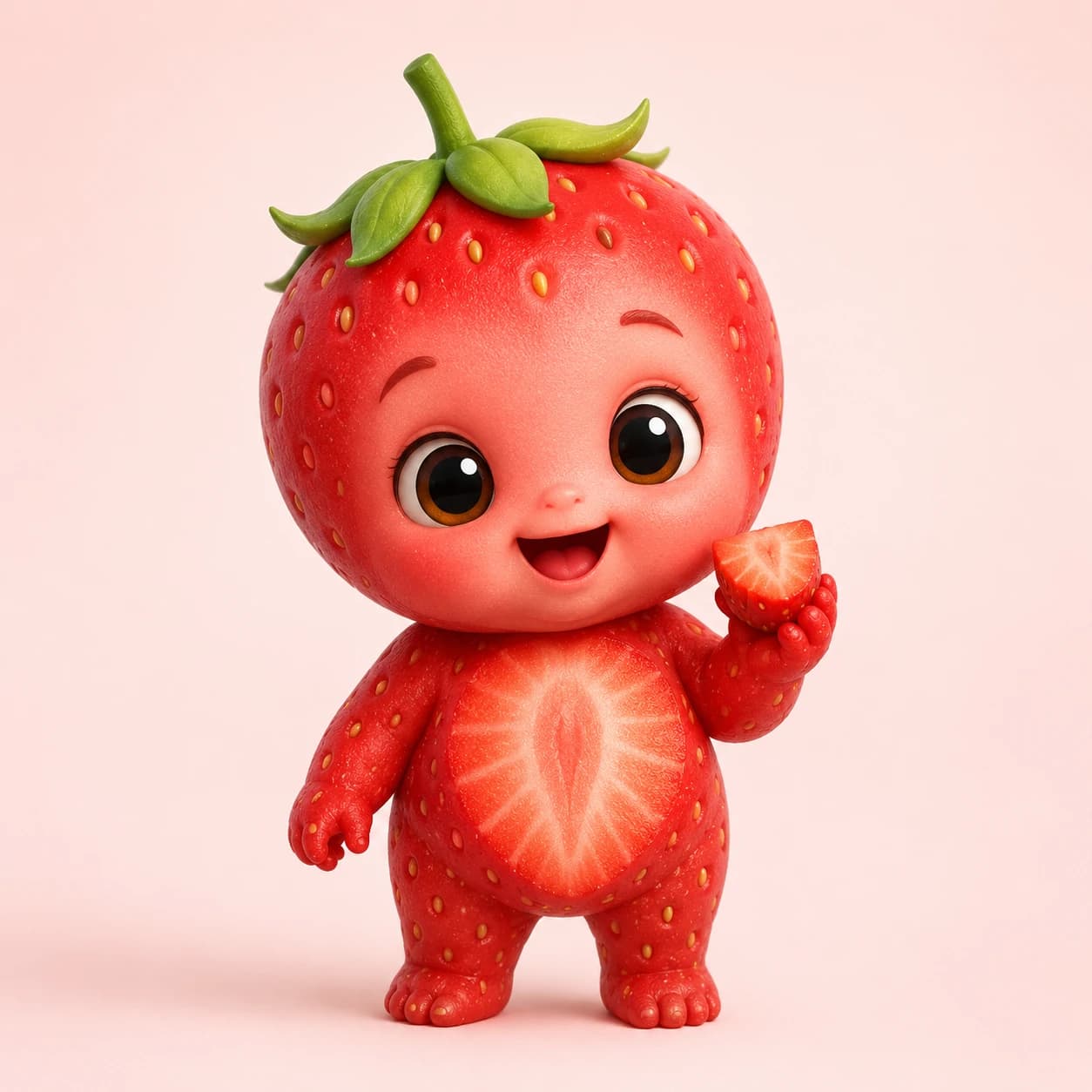
Strawberry baby
Sweet, bright, instantly recognizable
Best for
birthday replies, family chat surprises, Valentine's posts, spring clips, and soft social moments.
Watch out
Use a clean photo because red texture and seed detail can compete with the face.
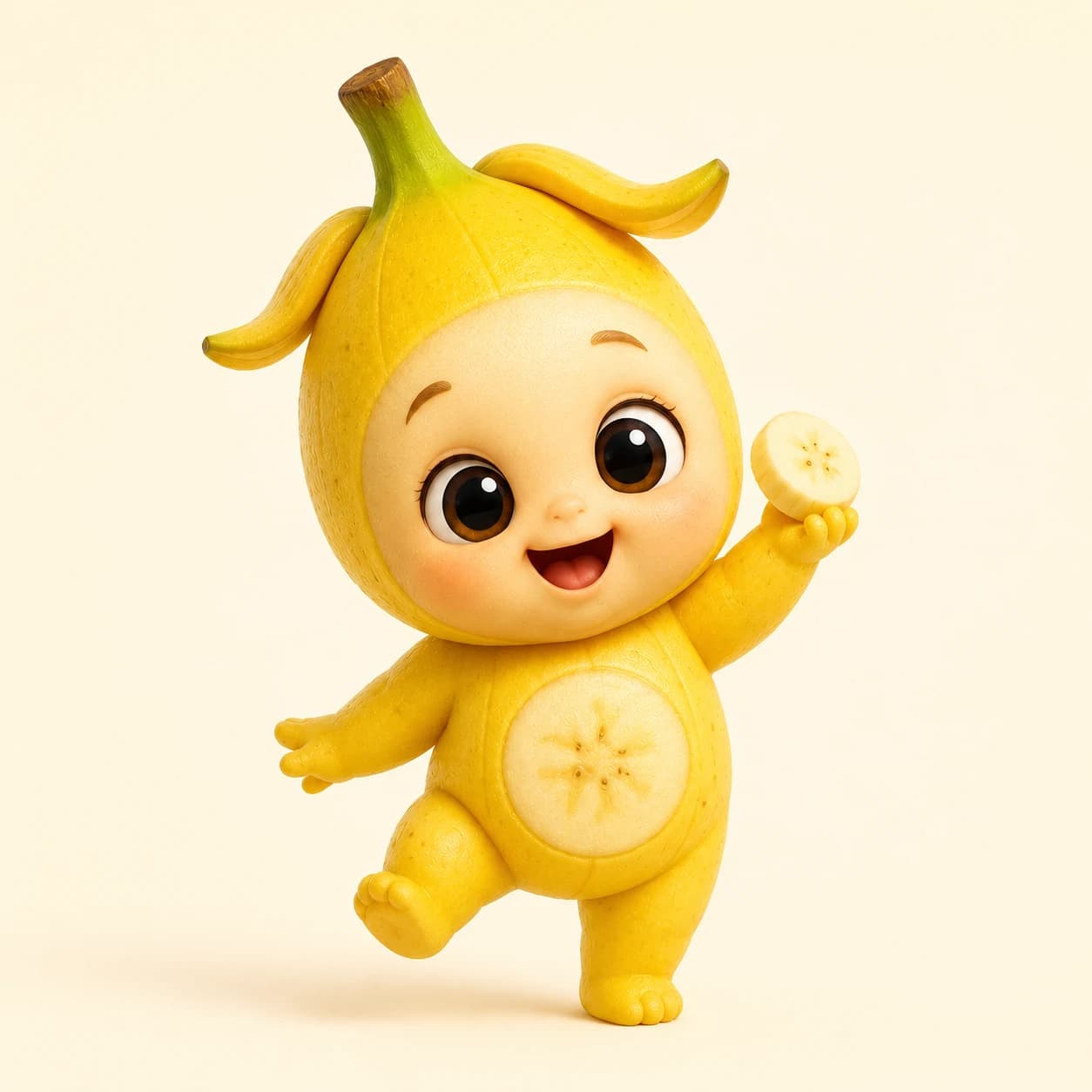
Banana baby
Funny, warm, and easy to read
Best for
playful short videos, silly reactions, kid-friendly humor, and clips that need a quick smile.
Watch out
A full-body or upper-body photo usually works better than a tight face crop.
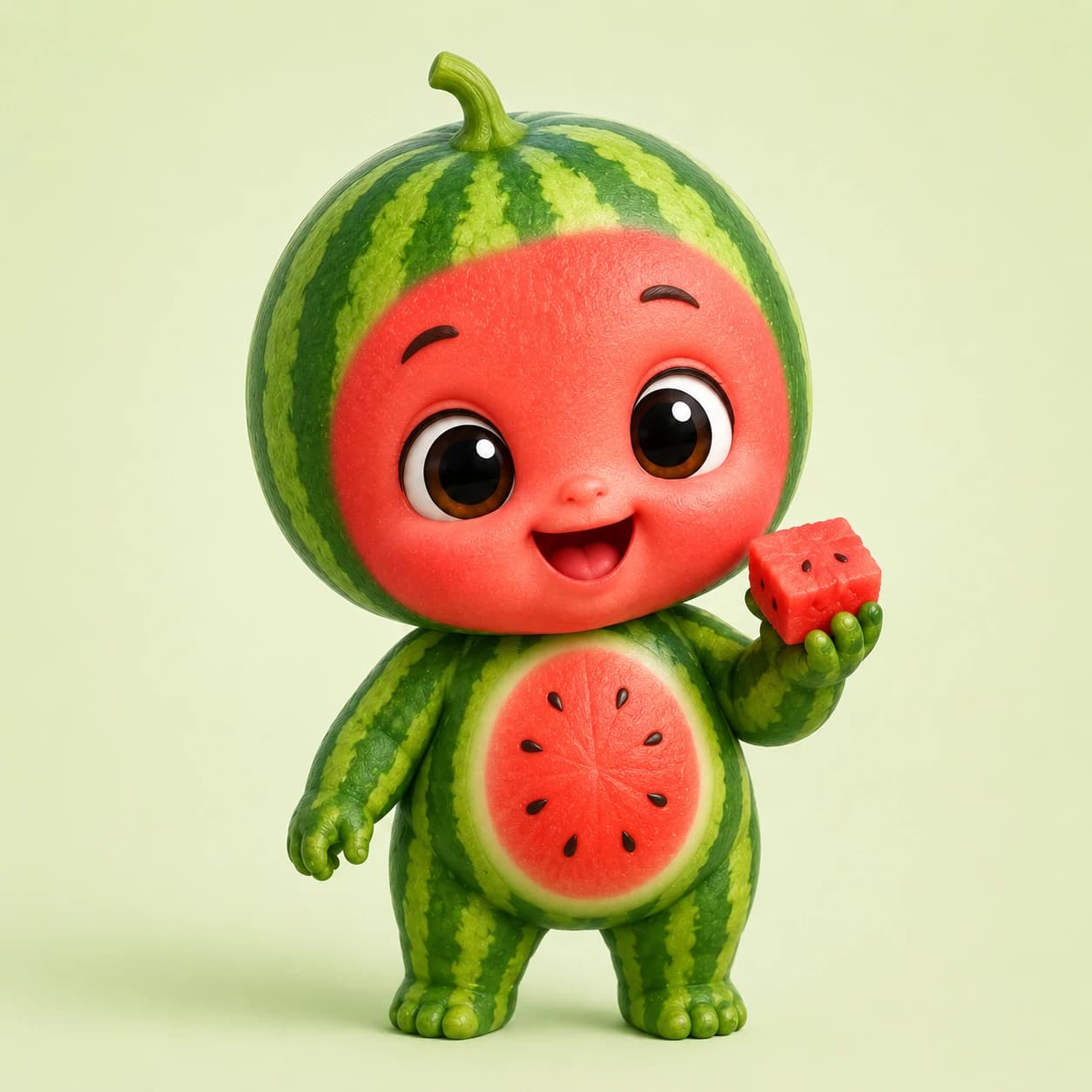
Watermelon baby
Bold, summery, and colorful
Best for
summer posts, picnic themes, first-step style clips, and videos where the color needs to pop.
Watch out
Keep the background simple so green stripes and red fruit color do not make the frame busy.
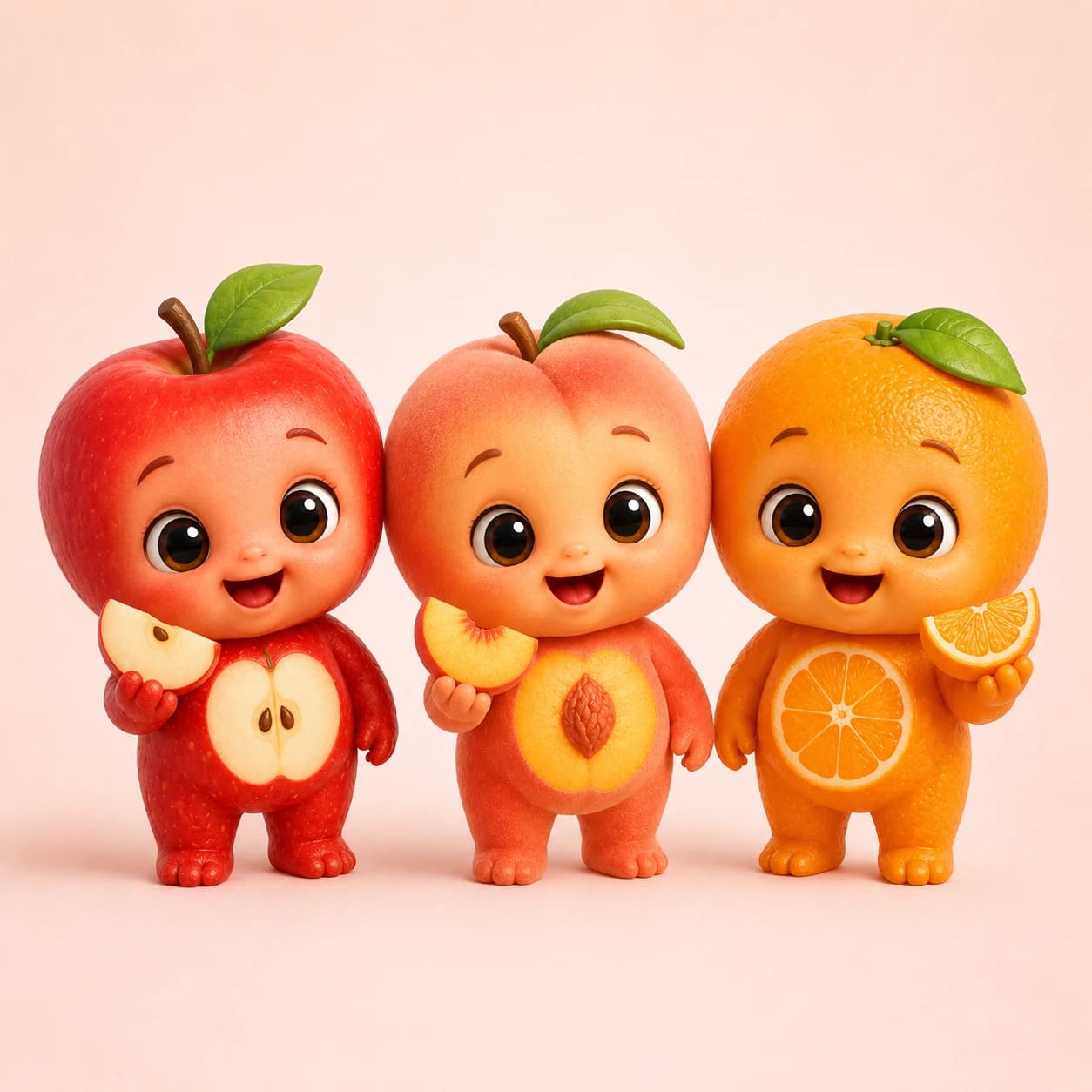
Apple, peach, or orange baby
Soft, round, and portrait-friendly
Best for
family-safe clips, gentle greetings, cozy profile-style videos, and first tests with a new baby photo.
Watch out
These fruits are cleaner, so the expression and lighting matter more than the costume detail.
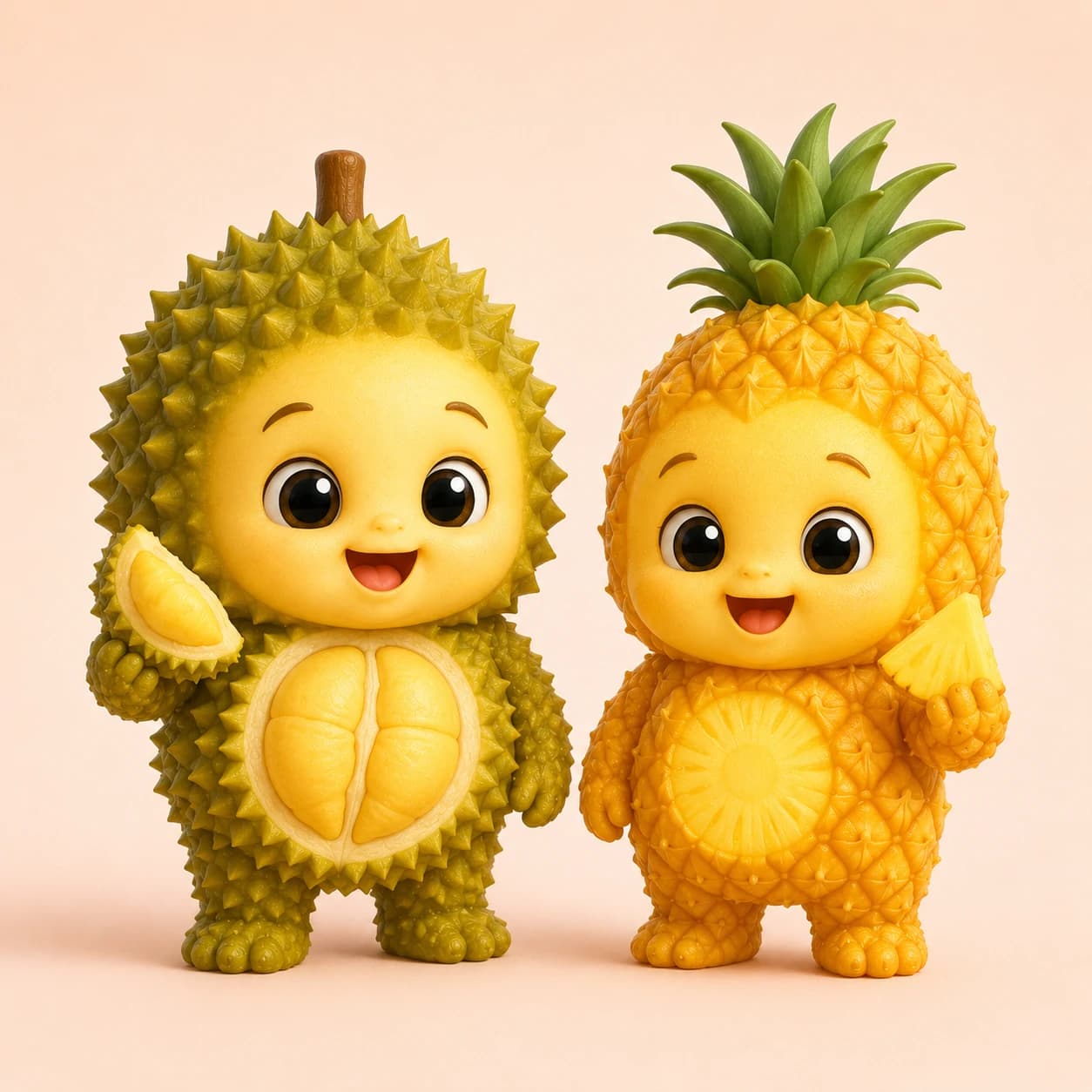
Durian or pineapple baby
Textured, funny, and more meme-ready
Best for
scroll-stopping character posts, comparison clips, and users who want a bolder fruit baby look.
Watch out
Spikes and texture can overwhelm the face. Use a centered, well-lit photo.
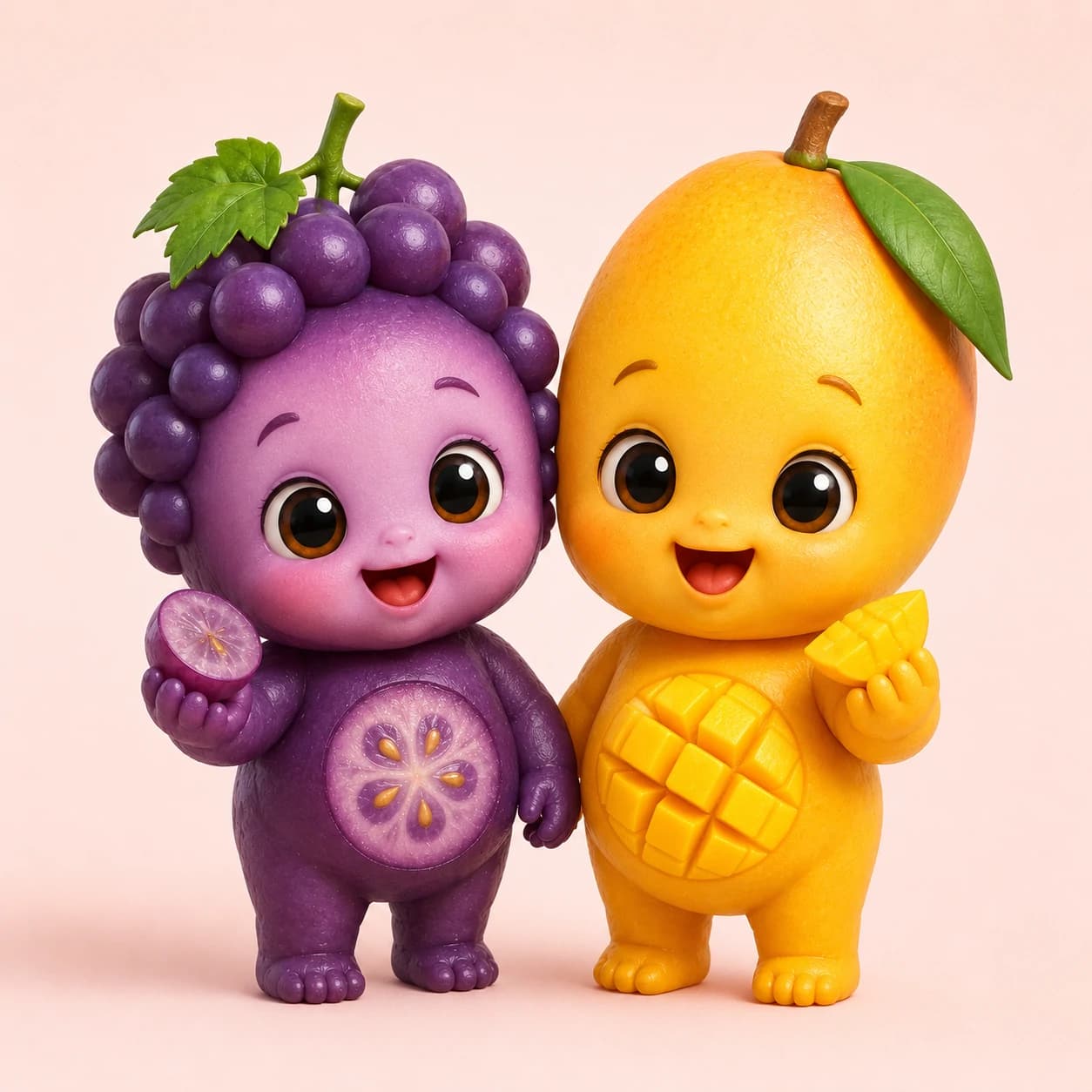
Grape or mango baby
Cute, soft, and easy to theme
Best for
warm family-share clips, simple tropical ideas, and fruit baby series where each character has a different mood.
Watch out
If the fruit shape is less obvious, pair it with a cleaner outfit, plain background, and close framing.
Make the fruit idea fit the tool before you click generate
You only need a baby photo, one fruit name, and a few video settings. Make each choice clear before you generate.
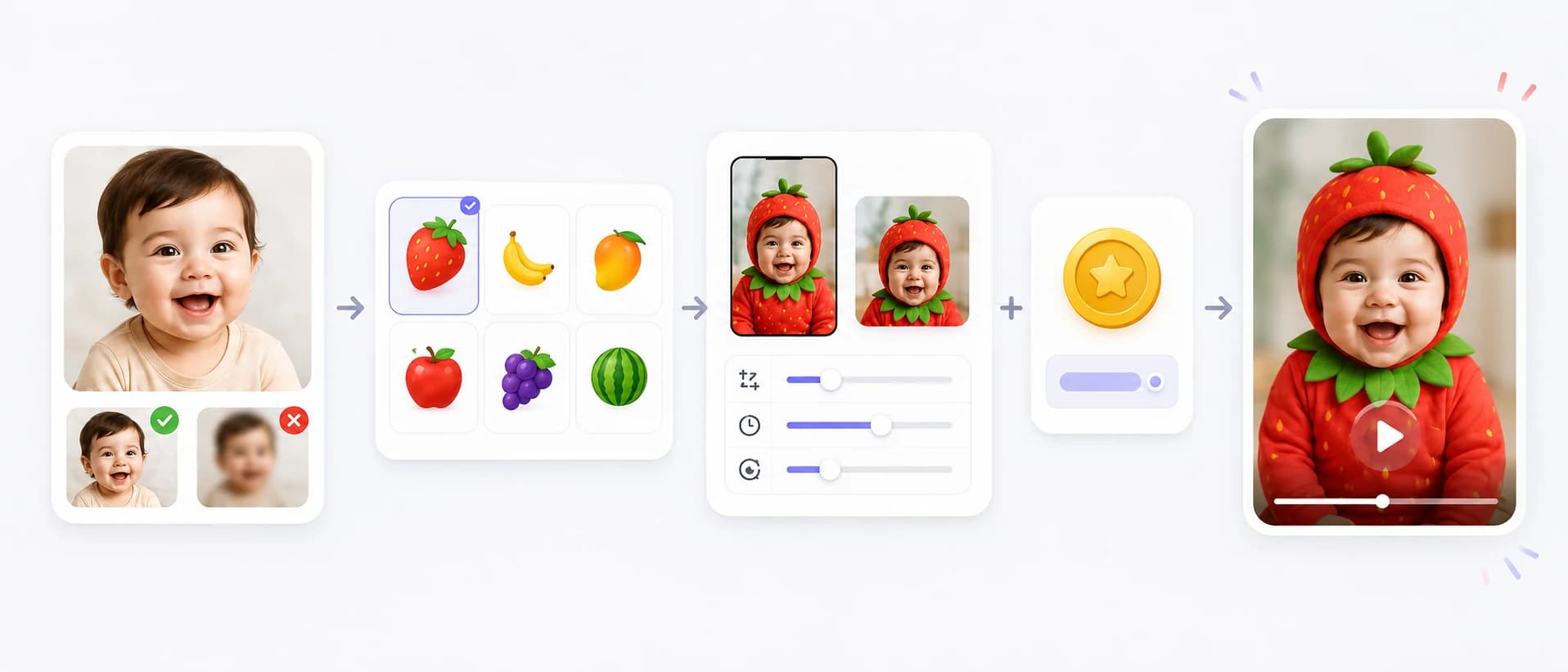
Use the photo as the character base
The baby photo gives the face, pose, and body context. Pick a source image that still looks clear after a fruit costume is added.
- Face-forward photos help the smile, eyes, and cheeks stay readable.
- Upper-body or full-body photos work better when you want tiny hands, sitting poses, or more body movement.
Type one fruit, not a sentence
The fruit name should carry the whole visual identity. A simple fruit choice is usually stronger than a vague theme.
- Use clear fruit names such as strawberry, banana, apple, watermelon, mango, pineapple, grape, or durian.
- Test one fruit at a time so you can compare which character reads fastest.
Choose format for where it will be shared
The same fruit baby can feel different depending on framing, duration, and resolution.
- Use 9:16 for Reels, Shorts, and TikTok style clips.
- Use 1:1 when the clip is mainly for family chat, profile previews, or a compact social post.
Check credits before generation
The visible credit estimate should help users decide whether to run a quick draft or a higher quality final clip.
- Short 480p drafts are useful for checking fruit readability first.
- Move to higher resolution only after the fruit, face, and framing already work together.
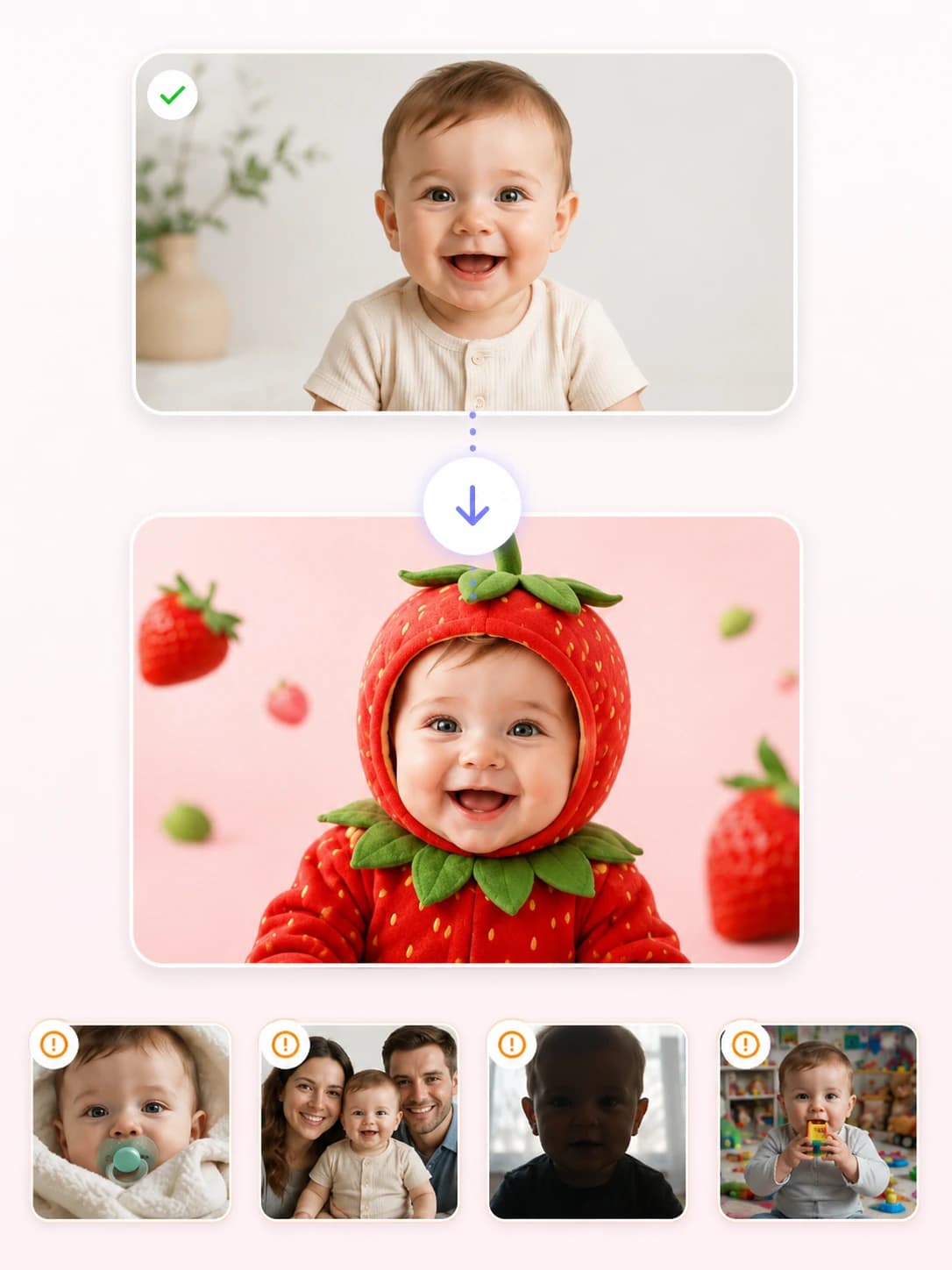
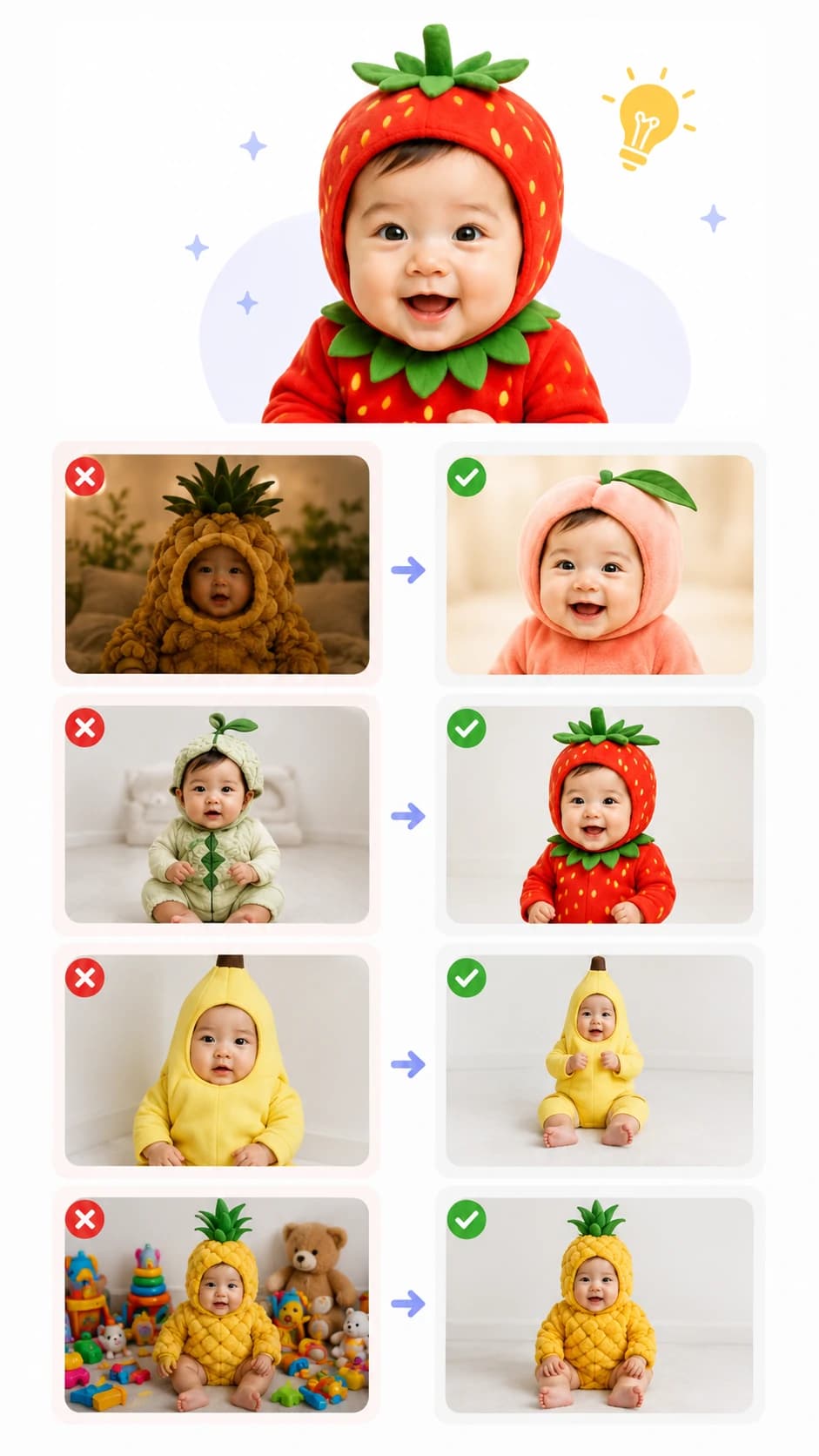
Pick a baby photo that can survive the fruit costume
AI fruit baby is more stylized than a normal baby video. The source photo has to leave room for fruit color, shape, and character detail without hiding the baby-like expression.
The photo has to leave room for fruit shape
Good source photo
- One baby is the clear main subject.
- Eyes, mouth, cheeks, and face outline are visible.
- Hands or upper body are visible if you want a more animated character.
- The background is calm enough for bright fruit color.
Harder source photo
- Pacifiers, blankets, or hands cover the mouth and cheeks.
- Several people appear in the frame.
- Heavy filters, dark shadows, or strong backlight flatten the face.
- Busy toys, patterned blankets, or clutter fight with the fruit costume.
Improve a weak fruit baby result
Do not judge the first clip only by sharpness. First check whether the fruit baby idea is clear at a glance. If the face, fruit shape, body, or background feels wrong, adjust the input before generating again.
The baby face gets lost
Choose a brighter photo where the face is larger, or use a smoother fruit shape such as apple, peach, orange, or banana.
The fruit is not obvious
Pick a fruit with stronger color or silhouette, such as strawberry, banana, watermelon, pineapple, or durian.
The body looks awkward
Use an upper-body or full-body photo so the AI has shoulders, hands, and sitting posture to work from.
The frame feels too noisy
Crop closer, use a cleaner background, and avoid toys, patterned blankets, or wide scenes with too much detail.
Simple fruit baby ideas for your first video
Start with a clear use case before you generate. A fruit baby works best when the viewer can understand the idea in the first frame.
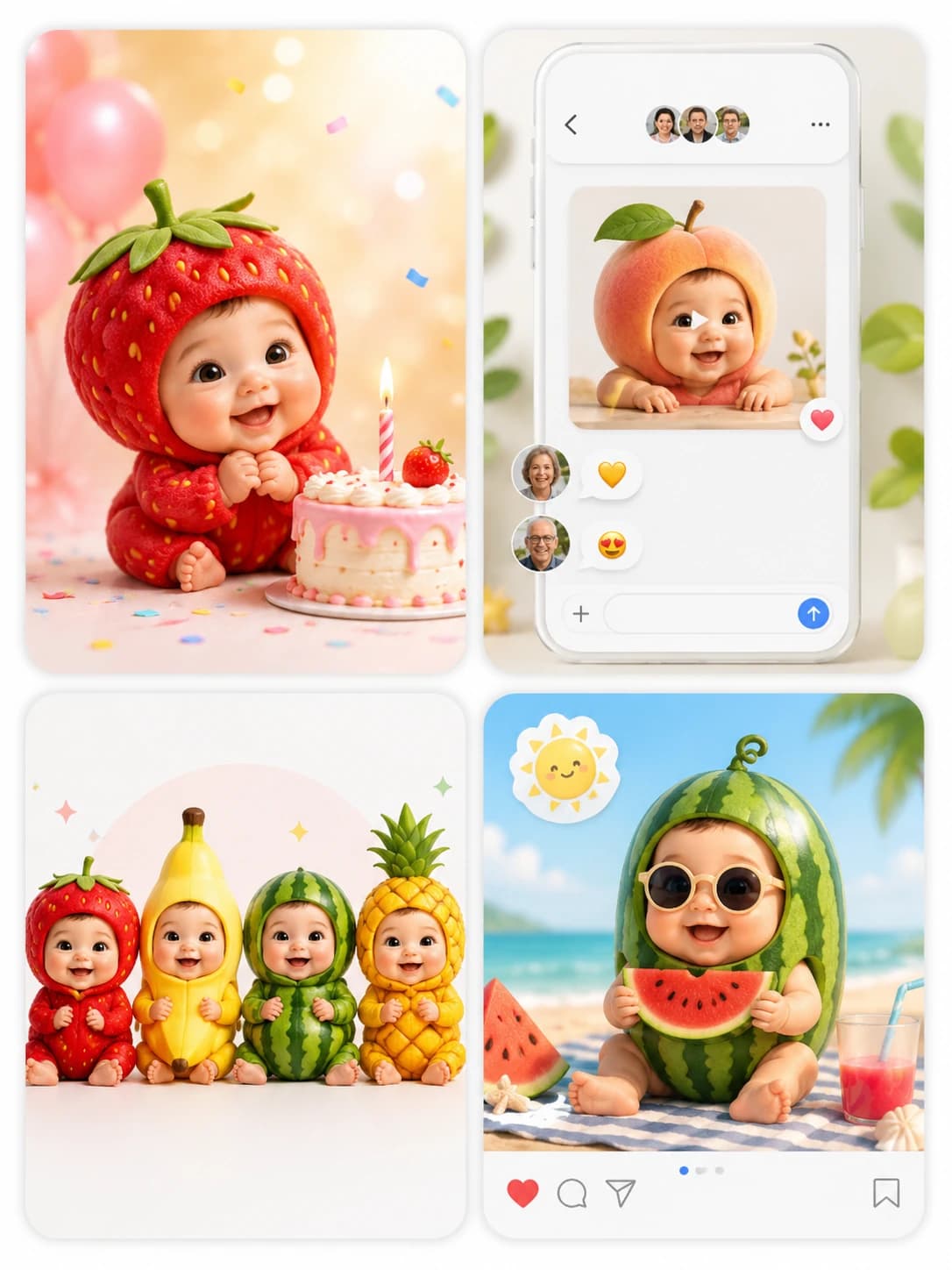
Birthday fruit baby
Turn a strawberry, peach, or mango baby into a short birthday greeting or thank-you clip.
Family group chat surprise
Use apple, orange, or banana for a cute clip that family members can understand instantly.
Fruit character series
Run the same baby photo through several fruits to create a small character set.
Seasonal social post
Match the fruit to the season, such as watermelon for summer or apple for back-to-school.
How to make an AI fruit baby video
Use the page like a character generator: choose the source photo, choose the fruit identity, then review whether the output is readable and worth sharing.
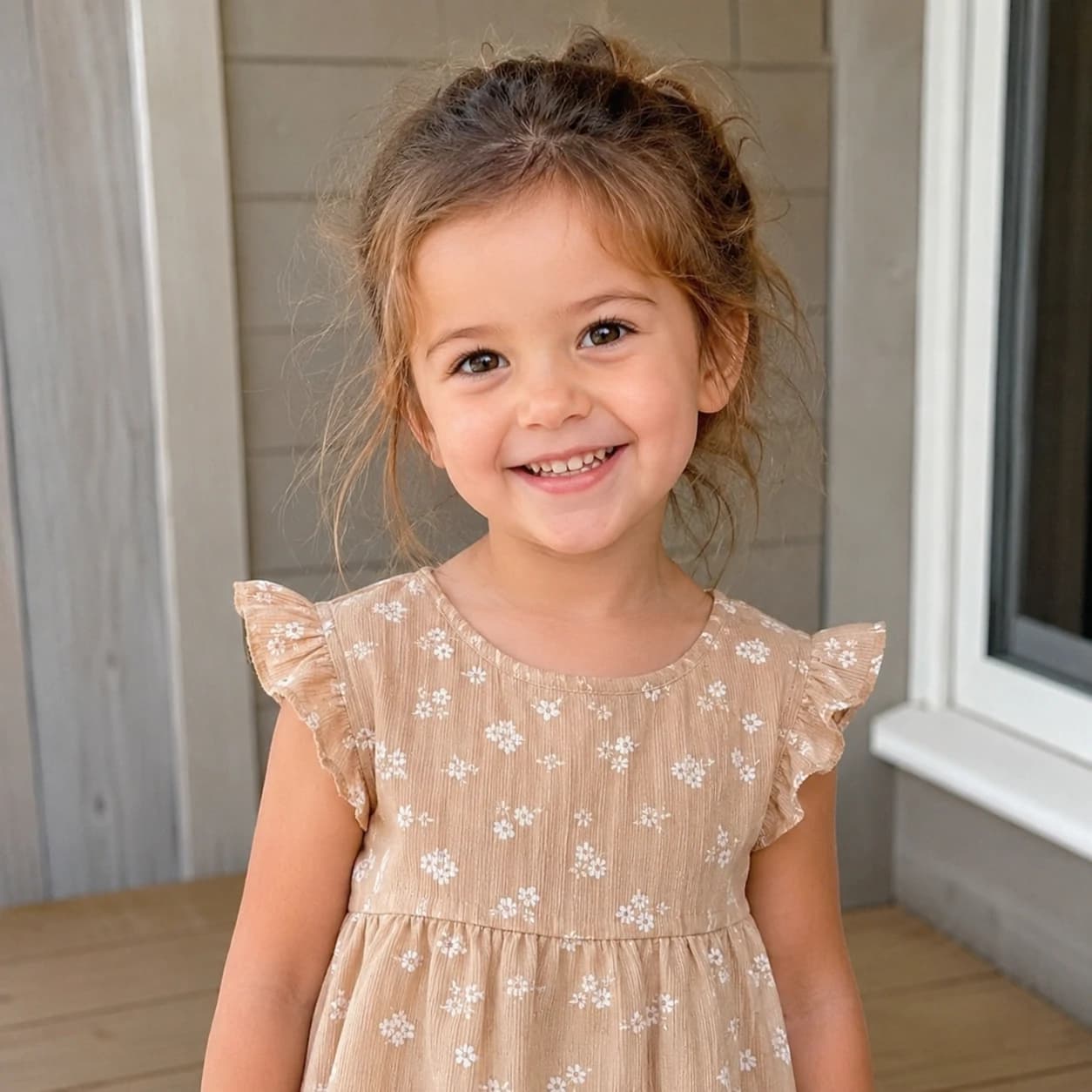
1
Upload one clear baby photo
Start with a photo where the face is visible and the baby is the only main subject.
2
Enter one fruit name
Pick a fruit that has a clear color or shape, such as strawberry, banana, apple, watermelon, pineapple, mango, grape, or durian.
3
Set the video format
Choose aspect ratio, duration, and resolution based on whether the clip is a quick draft, family-share video, or final social post.
4
Generate and review the first frame
If the fruit identity, face, and framing are clear in the preview, the clip is much more likely to work when shared.
5
Keep the most readable version
The winning fruit baby is the one people understand fastest, not always the most detailed one.
AI Fruit Baby Generator FAQ
Practical answers for turning a baby photo and fruit name into a cute fruit baby character video.
What is an AI fruit baby generator?
How do I create a fruit baby video?
What fruits work best?
Can I make a strawberry baby or watermelon baby?
Are fruit baby videos good for TikTok, Reels, or Shorts?
Can I use fruit baby videos commercially?
Can I customize the expression and action?
How long does generation take?