Watermark
Public Visibility
Inspirations
AI Baby Meme Generator
Create short baby meme videos from a baby photo and a rights-safe reaction template.
.webp&w=2048&q=75)
.webp&w=2048&q=75)
Create a baby meme video from one clear reaction
Use AI Baby Meme for a laughing reaction, family joke, birthday gag, reply clip, or short vertical meme where the template already has a simple motion.

Baby photo + meme template = share-ready baby meme video
This is not a generic image meme maker. It works best when a clear baby photo follows a short meme template with friendly humor and enough room for captions after download.
Upload a short meme video template with one visible face and simple motion.
Upload one clear baby photo with eyes, nose, mouth, and face shape visible.
Use 3 to 10 second clips for cleaner baby reaction memes and loopable social posts.
Leave visual room for captions if the joke needs text after download.
Avoid humiliating, unsafe, misleading, or sensitive uses of baby photos.
Best for short reactions and family-safe jokes
Start with the reaction you want, then choose a template the AI can follow: a laugh, serious look, tiny gesture, or simple timing beat.
Choose a meme style the AI can follow
Laughing baby memes work best with close-up laugh or holding-laugh templates.
Reaction baby videos need a centered face, clear expression change, and minimal camera shake.
Dancing baby memes work when the template keeps the face visible for most of the clip.
Serious baby reaction clips are useful for funny quote captions and family group chat jokes.
Baby podcast meme clips should stay short and should not be confused with the AI Baby Podcast tool.

Use one photo and one simple meme template
The editor is built around one meme video template and one baby photo. Keep both inputs short, clear, and rights-safe.
Accepted inputs
Meme video template: MP4, WebM, MOV, or AVI.
Baby photo: JPG, PNG, or WebP with one clear face.
GIF files should be converted to video before upload.
Use source clips, music, and audio you own or have permission to use.
Use vertical 9:16 clips when your target is TikTok, Reels, or Shorts.
Limits and billing
Maximum video length is 30 seconds.
Maximum video file size is 50 MB.
Short clips around 3 to 10 seconds usually generate cleaner meme videos.
Credits are based on video duration and shown before generation.


Check the baby photo and template before generating
Most unstable AI baby meme videos come from tiny faces, fast cuts, heavy blur, or photos where the baby's mouth or eyes are covered.
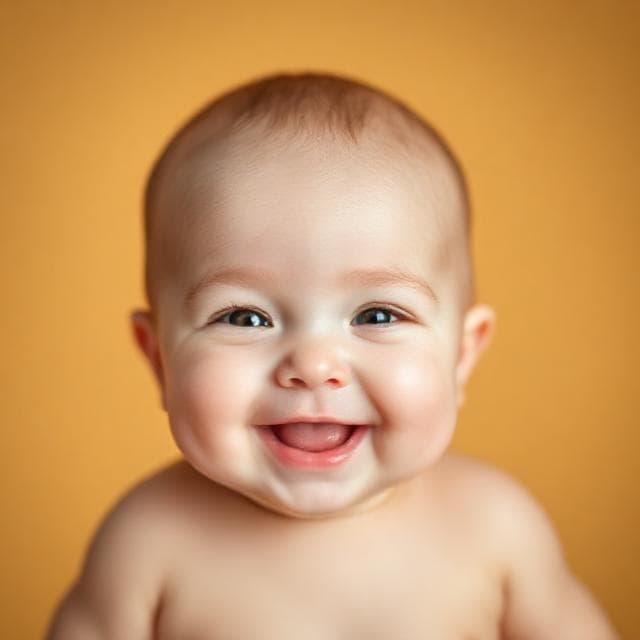
Use inputs that make baby face mapping easier
Choose a meme template with one main face visible for most of the video.
Avoid fast scene cuts, sunglasses, masks, heavy filters, or extreme motion blur.
Use a clear baby photo with eyes, nose, mouth, cheeks, and face shape visible.
Avoid pacifiers, hands, toys, or shadows covering the mouth.
Keep captions short and easy to read.
Only upload meme clips, music, or audio you own or have permission to use.
Improve meme quality by cleaning the inputs
If a meme output looks unstable, the fix is usually a cleaner template or baby photo, not a longer prompt.
Troubleshoot the source before generating again
If the face drifts, use a template with a larger, more centered face.
If the baby face changes too much, use a sharper baby photo with even lighting.
If the meme is hard to understand, shorten the clip and add the caption after download.
If the template has multiple people, crop it or choose a single-face clip.
If you want a spoken message instead of a meme reaction, use AI Baby Talking.

AI Baby Meme vs AI Baby Talking
Use AI Baby Meme for reactions
Choose this page for laughing baby memes, reaction clips, short meme templates, funny captions, and TikTok-style baby meme videos.
Use AI Baby Talking for speech
Choose AI Baby Talking when the goal is to make a baby photo speak a script or audio clip with lip sync.
Use Dancing Baby for full dance clips
Choose Dancing Baby when the motion itself is a dance video rather than a reaction meme template.
How to create an AI baby meme video
Make the meme by choosing the reaction beat first, then matching the baby photo, template timing, and caption space.

1
Pick the reaction beat
Decide whether the joke is a laugh, serious stare, tiny dance, shocked look, or pretend host moment.
2
Upload a matching baby photo
Use a photo where the face angle can plausibly fit the template expression and motion.
3
Choose or upload a meme template
Use a short rights-safe video with one visible face, simple movement, and enough room for the caption.
4
Generate and check the punchline timing
Review credits, create the clip, then check whether the face lands on the moment where the caption should hit.
5
Add the caption where it belongs
Keep caption text short and place it after the video timing works, not before.
AI Baby Meme Generator FAQ
Practical answers for creating baby meme videos from a meme template clip and a clear baby photo.
An AI baby meme generator helps turn a baby photo and a short meme template video into a funny baby meme video. On BabyVideo.ai, it is built for short reaction clips, laughing baby memes, family jokes, and social-ready baby meme videos.
Create an AI baby meme video from a short meme template and a clear baby photo. Use rights-safe source videos, family-safe humor, and simple caption space for Reels, Shorts, TikTok, or private sharing.